Unitree A2/A2-W Remote Controller
Genuine Unitree A2 remote controller — the R3 handset included with every A2 and A2-W, sold standalone as a replacement or spare.
- Unitree A2
- Unitree A2-W
About the Unitree A2/A2-W Remote Controller
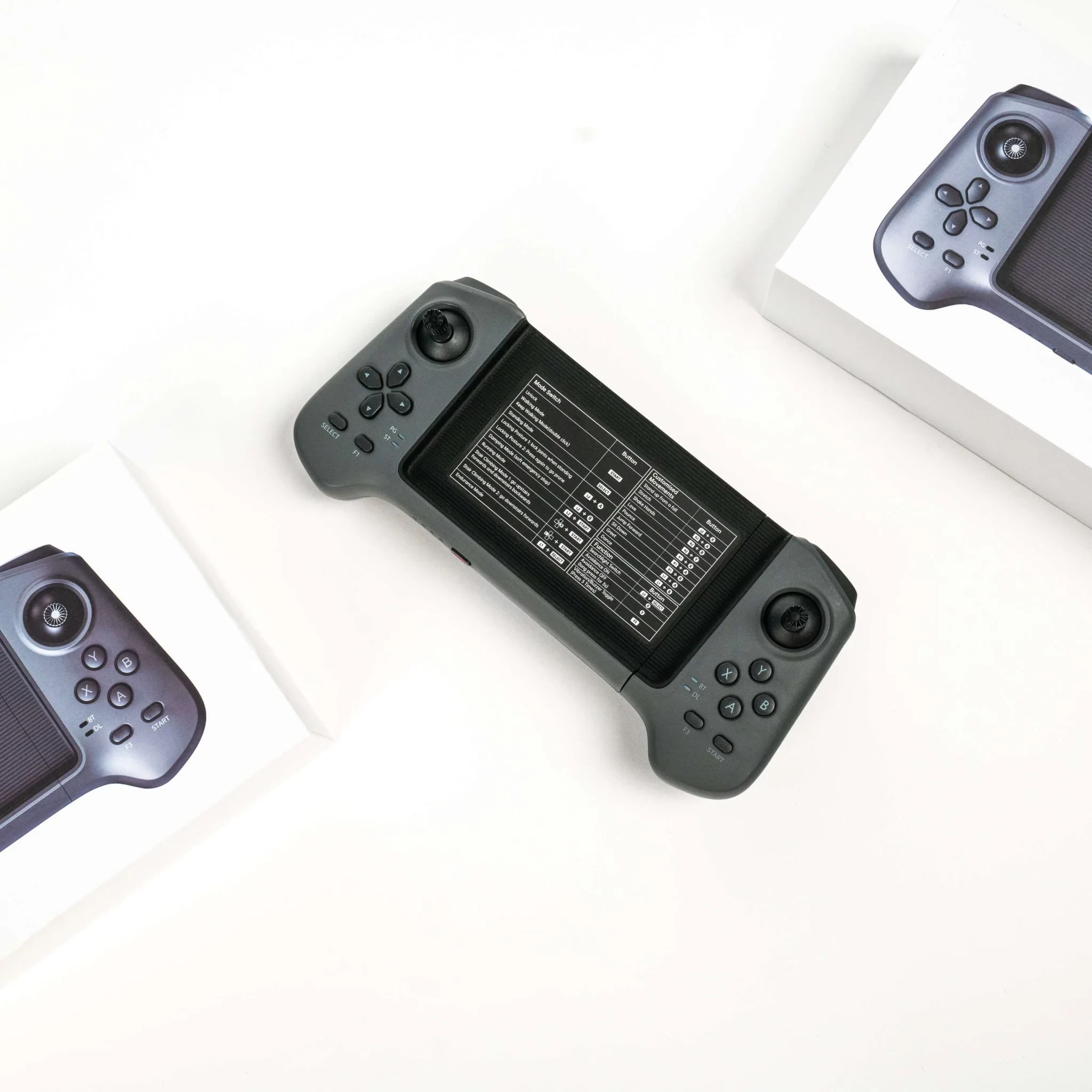
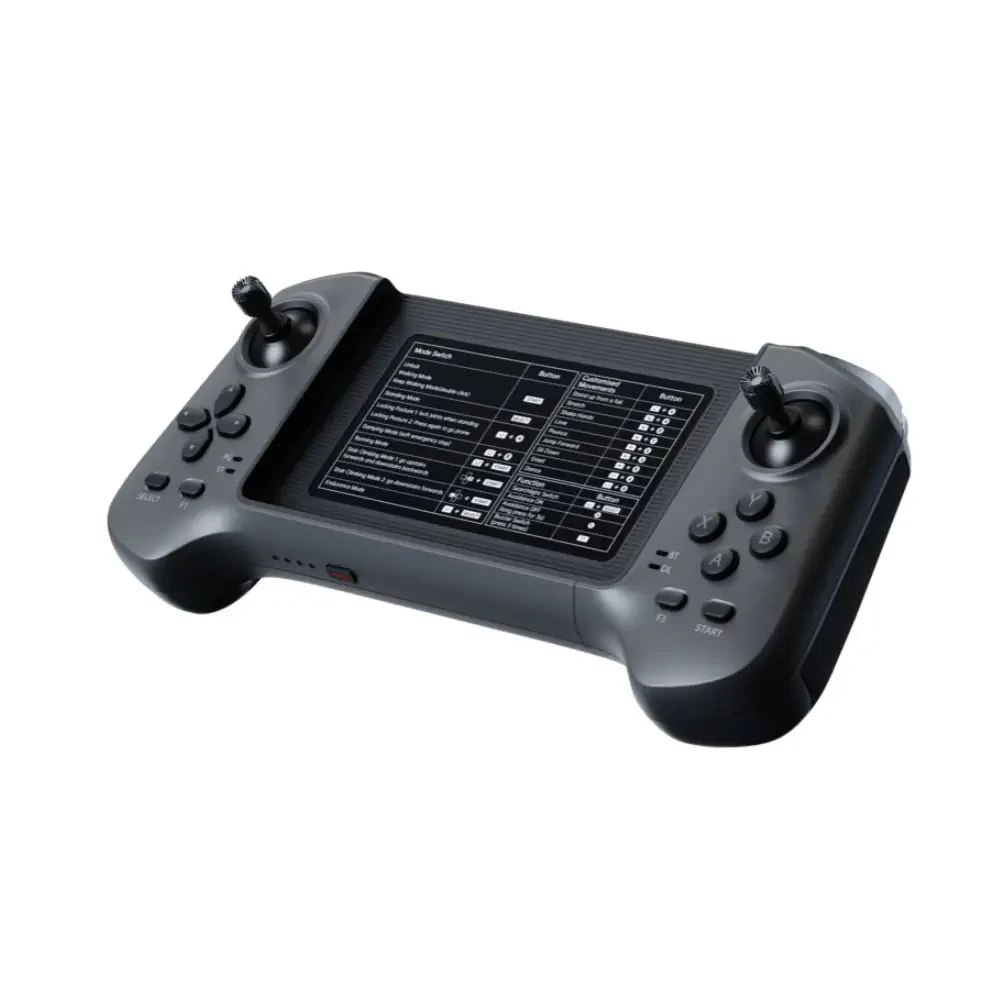
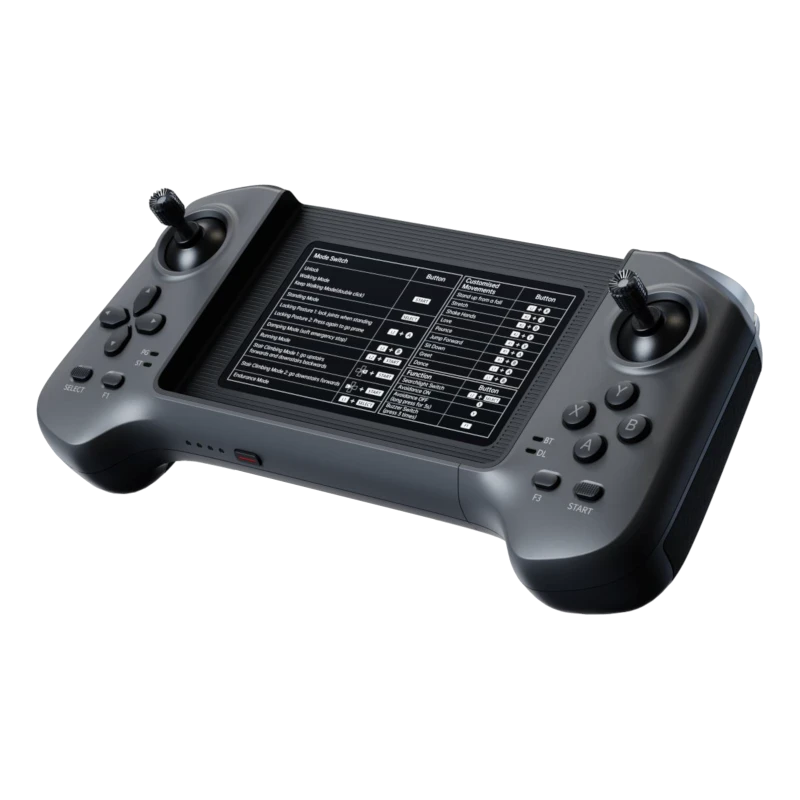
The Unitree A2 remote controller is the handheld manual controller Unitree ships in the box with every A2 — the R3 handset, bound to the robot at the factory before it leaves the line. Sold on its own, it covers the two situations that send owners looking for one: replacing a remote that was lost or damaged, and adding a second handset so a second operator can take over a session.
It drives the A2 exactly like the handset the robot arrived with. The full command set stays on the handheld — locomotion, gait and posture modes, speed gears, body height and the special actions — over a wireless data transmission link with Bluetooth alongside for setup, and no laptop tethered to the robot.
Teams running inspection routes, patrol shifts or demo days on more than one A2 keep a spare controller charged on the bench, so a flat or missing handset never grounds the robot. One controller covers the legged A2 and the wheeled A2-W alike.
Every A2 Mode and Command, on the Handset
The A2's full mode and action set is mapped onto the handset's buttons, with a phone mounted in the center bay running the Unitree app for setup, binding and status. The button table below follows the official A2 remote instructions, so a replacement Unitree A2 remote controller answers exactly the combinations the robot arrived with.
| Button | |
|---|---|
| Damping mode (motors release) | L2 + B |
| Lock posture — stand with joints locked; press again to lie down | L2 + A |
| Unlock / restore default gait | Start |
| Running mode (high-speed movement) | L2 + Start |
| Left / right sidestep | Double-click X / Y |
| Handstand | Double-click R1 |
| Upright stand | Double-click R2 |
| Fall recovery (flip over) | L2 + X |
| Climbing gait (0.5–1 m obstacles) | R1 + X |
| Front flip / back flip | L1 + X / L1 + Y |
| Body height 0.3–0.5 m (Start restores default) | L1 + UP / DOWN |
| Speed gear | UP / DOWN |
| Buzzer switch | Short-press F1 three times |
| Auto flip-over switch | Y + B |
Included With Every A2 — and It Fits the A2-W
Unitree's official A2 documentation states that the A2 comes with the R3 remote control, bound at the factory — the handset is standard equipment on the robot, not an optional add-on. The wheeled A2-W runs the same control setup, and one Unitree A2 remote controller covers both machines, which matters for mixed fleets running the legged and wheeled variants side by side.
It is made for the A2 platform and is not a cross-model part: the Go2 runs its own controller, the G1 carries the G1 remote controller, and the R1 has its own handset — none of them stand in for the A2's. Unitree's documentation names the A2's handset the R3 remote control, a detail most retail listings leave out.
Specifications
| Type | Handheld wireless manual controller — Unitree R3, the handset included with the A2 |
| Communication | Wireless data transmission module + Bluetooth |
| Control range | 100 m+ (open environment, line-of-sight) |
| Battery life | ≈5 hours continuous operation |
| Charging | 5V USB |
| Binding | 6-digit controller ID · pairs through the Unitree app |
| Fits | Unitree A2 · Unitree A2-W |
| In the box | 1 × Unitree A2/A2-W Remote Controller (R3) |
Binding a Replacement to Your A2
A replacement Unitree A2 remote controller binds through the same app routine the factory used, and the robot answers it like the original from the first session:
- Confirm the 6-digit controller ID — it is printed on the sticker on the robot body or the back of the remote, or find nearby remotes in the app under Device → Remote Control Status.
- Enter the ID in the app under Device → Data → Remote Binding.
- Hold SELECT on the remote for 3 seconds until you hear a continuous beep, then release — the DL indicator in the lower-right corner stays solid once pairing succeeds.
Shipping & Quality Guarantee
The Unitree A2 remote controller ships worldwide by DHL or FedEx in protective packaging; exact transit time is confirmed with your quote.
Every unit is 100% quality-inspected before it ships, so it arrives in perfect working order.
Last updated: November 2026.
Frequently Asked Questions
Can't find what you're looking for? Contact our